Windows 11 Enterprise Virtual Machine images downloads – Ghacks Technology News
Windows 11 Enterprise virtual machine images are now available. You can download the images for several popular virtualization applications directly from Microsoft’s Developer website.
Note that the virtual images include more than just a Windows 11 Enterprise installation. They are designed for developers and include several applications, e.g. Virtual Studio 2019 and Visual Studio Code. Developer Mode is also enabled automatically on these installations.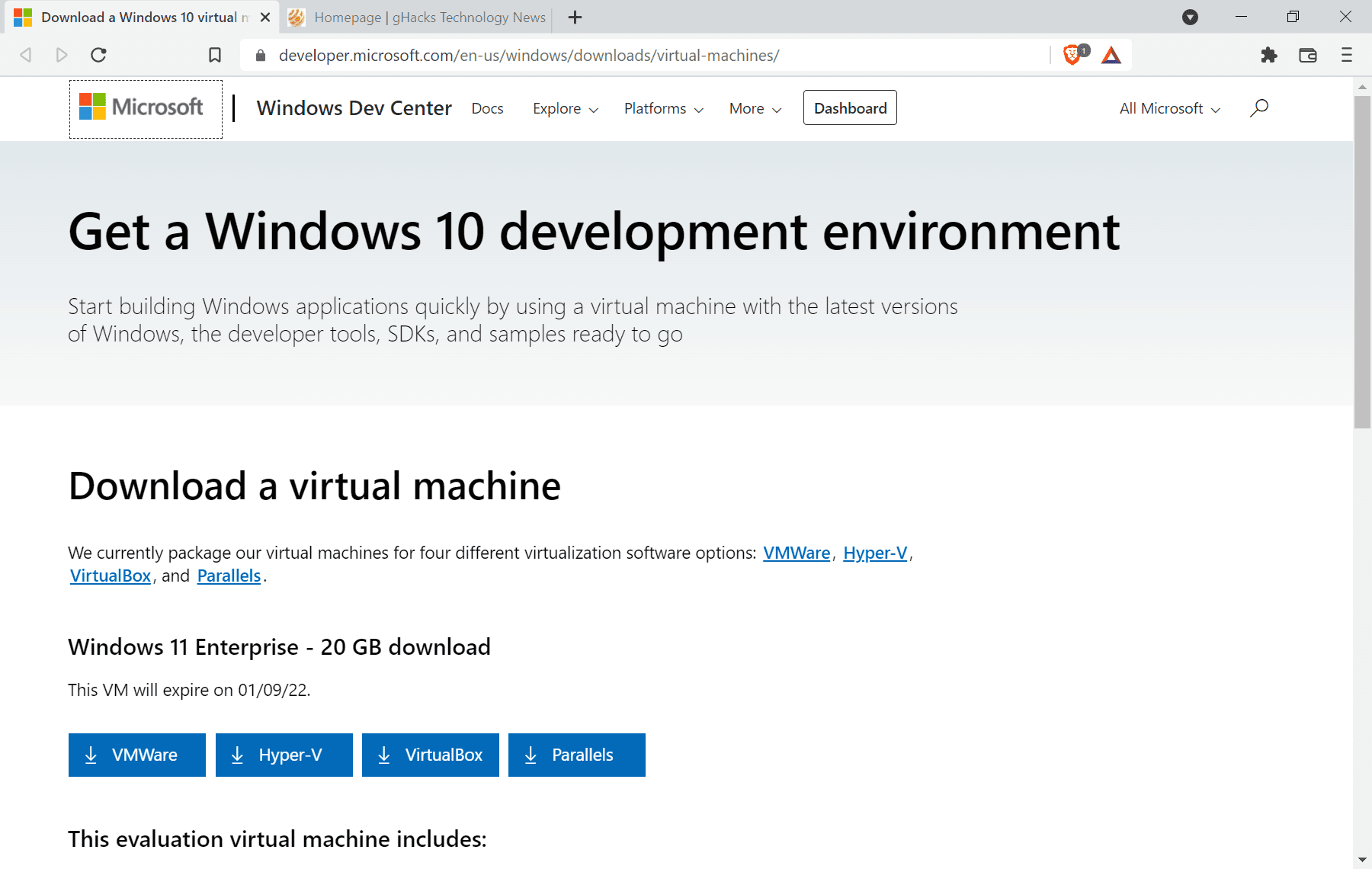
To download the virtual machine images, do the following:
The virtual machine images are set to expire on January 9, 2022 automatically. They contain a Windows 11 Enterprise installation with Windows Subsystem for Linux (Ubuntu) and Developer Mode enabled.
Windows Terminal, Visual Studio Code, Visual Studio 2019 and Windows 10 SDK version 2004 are installed as well.
The virtual machine images are designed primarily for developers, but none developers may use them as well to run Windows 11 Enterprise. Unless Enterprise is required specifically, it may be faster to download another edition of Windows 11 instead and create a virtual machine image manually using the downloaded ISO file.
Tip: check out our guide on downloading Windows 11 ISO images here.
Closing Words
The evaluation period feels rather short, considering that the images do expire in early January of 2022. Add the Holiday period of part of the globe to that, and you end up with just a few weeks in which the environment can be used in organizations.
Now You: what is your favorite Windows edition, and why? (via Deskmodder)
I really like LTSC 2021 🙂
What’s your favorite updated bits?
I can’t say I have any. There is hardware accelerated GPU scheduling and direct storage support, also a toggle to force/attempt variable refresh rate on certain titles, I guess from Store, maybe normally unsupported.
Notepad defaults to UTF-8, finally!
Edge is installed by default, but it’s not the one which is glued to the OS, rather the installable one, and you can uninstall it from Control Panel.
Overall, I like it. My favourite is still LTSC 1507, although it saw very little support and has lots of unsolved issues. I suppose not having a Server counterpart shows.
Thanks for the response Y.
For me it seems to run a bit smoother overall,
although I have had several BSOD that I need to look into (watchdog timer errors).
I’ll thoroughly give it a test drive during the coming weeks.
Cheers
Why does this work on PCs that do not meet the requirement for Windows 11?
Upgrade to Windows 11 is stopped in VirtualBox because the PC requirements are not met, but I have no problem installing this Enterprise Trial version on the same PC. Why is that?
How do I set up and use the hyper-v version?
Please click on the following link to open the newsletter signup page: Ghacks Newsletter Sign up
Ghacks is a technology news blog that was founded in 2005 by Martin Brinkmann. It has since then become one of the most popular tech news sites on the Internet with five authors and regular contributions from freelance writers.