
Twinkle Tray App Receives Windows 11 Support – Softpedia News
Twinkle Tray, the brilliant app that makes it so easy to adjust the brightness of external monitors connected to a Windows computer, has recently received an update to feel at home on Windows 11.
If you’ve never used Twinkle Tray before, you probably didn’t notice the Windows limitations when it comes to adjusting the brightness levels of multiple monitors or you didn’t know such an app exists in the first place.
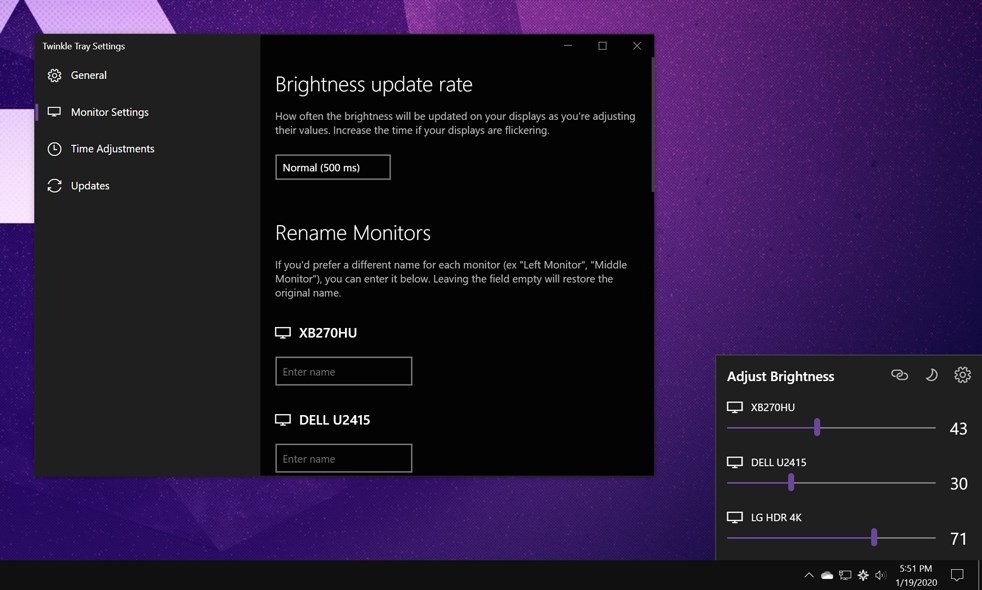
The way it works is not only extremely straightforward but also pretty clever, as Twinkle Tray brings a simple slider to the system tray, letting you easily adjust the brightness of any external monitor that is connected to the device.
It receives data from the connected monitors via DDC/CI and WMI, and the number of monitors doesn’t even matter. As soon as they’re connected to the computer and all requirements are met, Twinkle Tray can detect them and allow users to adjust the brightness level accordingly.
“Twinkle Tray lets you easily manage the brightness levels of multiple monitors. Even though Windows 10 is capable of adjusting the backlight on most monitors, it typically doesn't support external monitors. Windows also lacks any ability to manage the brightness of multiple monitors. This app inserts a new icon into your system tray, where you can click to have instant access to the brightness levels of all compatible monitors,” the app description reads.
“Twinkle Tray uses DDC/CI and WMI to communicate with your monitors. Make sure you have the appropriate option(s) enabled on your monitor so that it can work with Twinkle Tray.”
Built in Electron, the app is completely free of charge and comes without any ads, sporting a UI that perfectly aligns with the rest of the OS. You can find it in the Store here – you can download the app on both Windows 10 and Windows 11.
