
What happens to all the Windows 10 devices that are incompatible with Windows 11 in 2025? – Ghacks Technology News
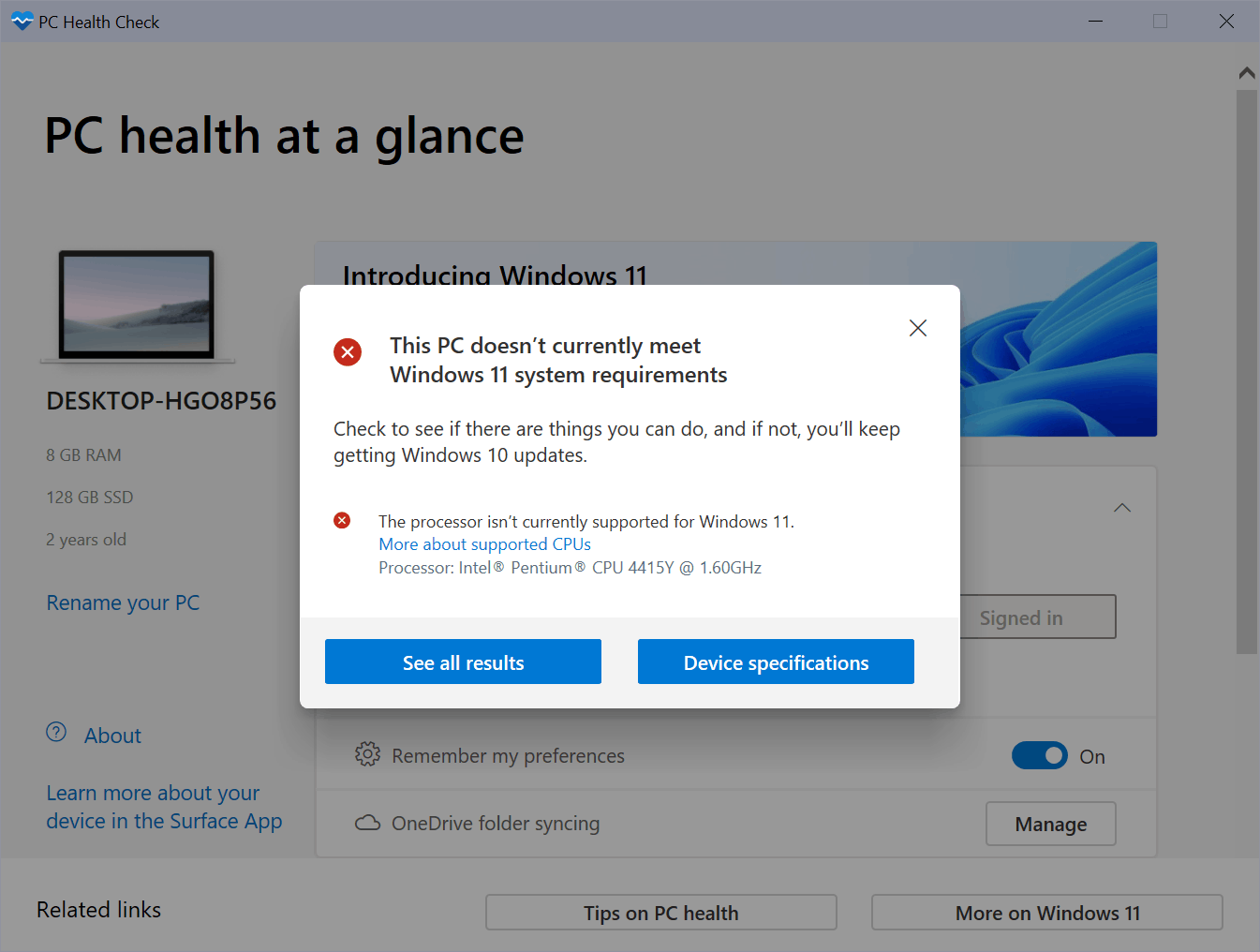
Microsoft released Windows 11 in late 2021 and shifted the focus of development from Windows 10 to Windows 11. Customers with Windows 10 devices may upgrade to Windows 11 for free, but not all Windows 10 devices can be upgraded as Microsoft changed the new operating system’s requirements.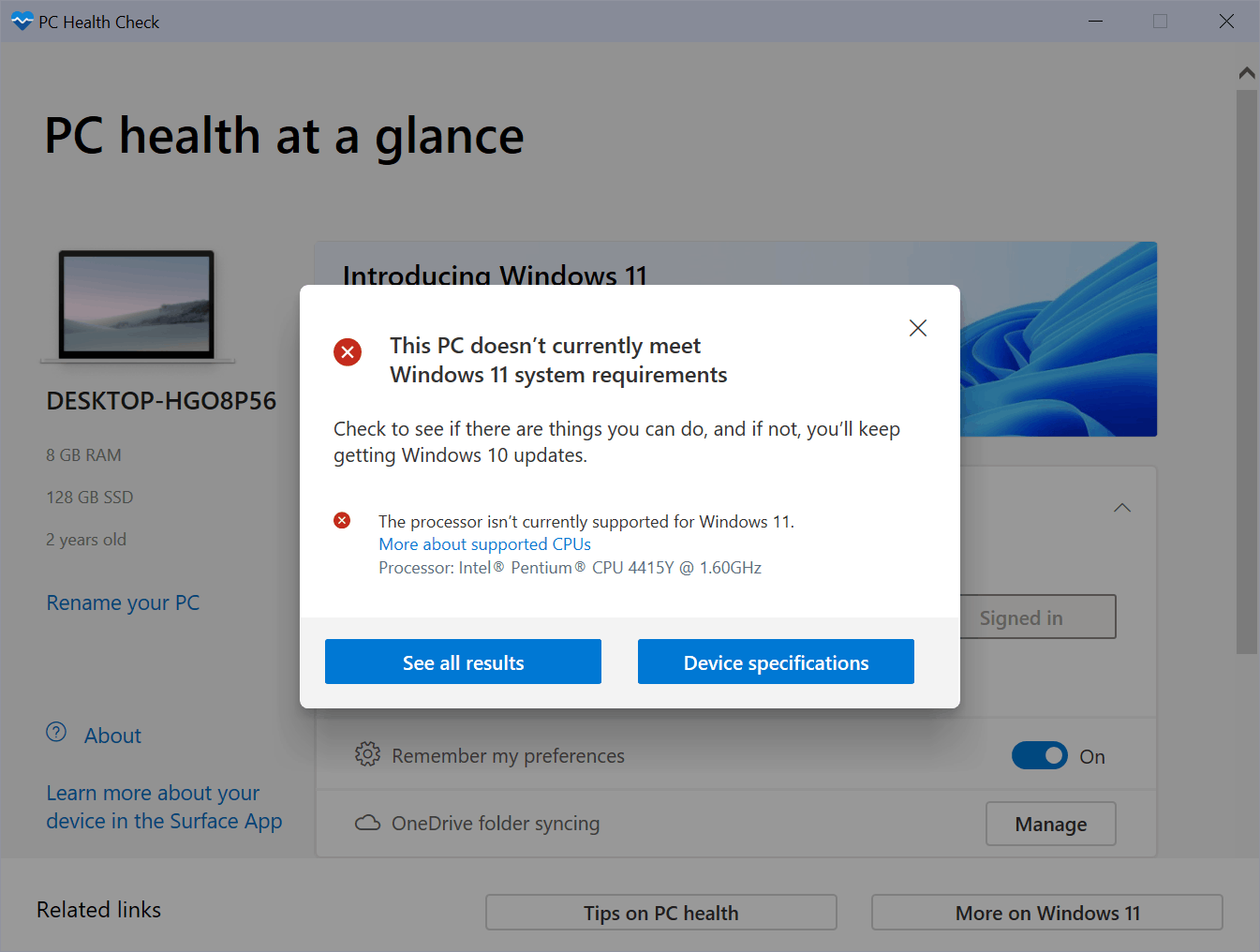
Most Windows 10 devices that do not meet the minimum system requirements will stay on that version of Windows, but what happens when Windows 10 runs out of support in 2025? Microsoft lists October 14, 2025 as the retirement date for Windows 10 Home and Pro (basically, all consumer versions of Windows 10). Some users will certainly replace their devices with new ones, which will likely include Windows 11 or are at least compatible with the new operating system.
Millions of devices will still be in use by 2025, and these can’t be upgraded to Windows 11 officially, as Microsoft won’t just chance the system requirements of the new operating system. Some users may upgrade to Windows 11 bypassing the restrictions.
The main issue that Windows 10 users will run into in October 2025 is that Microsoft won’t create security updates for the operating system anymore. Windows 10 devices will continue to work like before, but there will be security issues that Microsoft won’t fix after the last Patch Day on October 14, 2025. Other companies, including 0Patch, may step in and produce some security updates for Windows 10, but the company won’t release patches for all issues and some may not be released for free.
Continuing to use Windows 10 after October 2025 may still be a valid scenario, for instance if the PC is not connected to the Internet, or if the security setup blocks most attacks before they can do any harm.
Most Windows 10 users whose devices are not compatible with Windows 11 have two main options, if they want to keep using the device:
Both options are not ideal from the perspective of a user who wants as little interruptions as possible. The first option, the unsupported upgrade to Windows 11, brings most settings and installed programs to the Windows 11 system. Most programs continue to work and data is not lost.
The main issue with the approach is that Microsoft does not support this officially. While Microsoft did release upgrade instructions for incompatible devices, it warns users that their devices “might malfunction” and “will no longer be guaranteed to receive updates, including but not limited to security updates”.
The official disclaimer even states that damages are not covered under the manufacturer warranty and that PCs will no longer be supported in any way.
This PC doesn’t meet the minimum system requirements for running Windows 11 – these requirements help ensure a more reliable and higher quality experience. Installing Windows 11 on this PC is not recommended and may result in compatibility issues. If you proceed with installing Windows 11, your PC will no longer be supported and won’t be entitled to receive updates. Damages to your PC due to lack of compatibility aren’t covered under the manufacturer warranty.
Windows Update works fine right now on incompatible Windows 11 devices, but there is a chance that this may not be the case in the future. Especially feature updates may become problematic to install, as users may need to bypass the restrictions again before these can be installed.
The second option that users have is to make the switch to Linux. The change requires more research and work on the user’s end: a Linux distribution needs to be picked for that, which may require some testing prior to making the move. Most Linux distributions can be run as Live systems, which won’t affect data that is on the PC’s hard drives.
Here are the main issues that users will experience:
Now You: do you run Windows 10 devices that are incompatible with Windows 11? What will you do?
2025 is three years from now. Covid may have killed everyone by then or rising sea levels may have sunk all dry land or the aliens from outer space may have landed.
Don’t worry, be happy!
Fourth paragraph, second line:
“Millions of devices will still be in use by 2025, and these can’t be upgraded to Windows 11 officially, as Microsoft won’t just chance the system requirements of the new operating system. Some users may upgrade to Windows 11 bypassing the restrictions.”
Shouldn’t it be ‘change’ instead of ‘chance’?
While chance might work in some instances like remember that scene from Jurassic Park where after the T-Rex encounter Ellie and Muldoon finds the injured Jeff Goldblum’s character Malcom.
Ellie: “Should we chance moving him? ”
Malcom (hearing the T-Rex roar afar): “Please, chance it.”
I’m thinking of a somewhat similar scenario in a post apocalyptic 2025 where a world populated by denizens of Covid zombies (who kill you if you don’t wear a mask) and remaining human population immune to Covid descend upon the Microsoft headquarters
Bill Gates runs into the Microsoft board room to find the board members cowered behind the toppled table.
Bill: “Should we chance altering the system requirements?”
The Microsoft board members in unison: “Please, chance it.”
And there is always Apple. If you’re going to need either a new machine or new equipment in an older device, there is always Micro$oft’s Competition.
While I can see Micro$oft’s angle on this, the sheer gall and arrogance involved is off-putting to a large degree. A service industry (which is what Micro$oft is), is now dictating equipment and what is run on that equipment (forcing Edge on users).
I suspect Micro$oft is going to regret this as the Government may become involved (Anti-trust suits). But then Micro$oft seems to think it’s superior to all that, so…
I think that many states and companies will not have the money to buy new PCs. So Microsoft will be forced to maintain security updates for a long time.
Personally I have an Intel(R) Core(TM) i7-7700 CPU @ 3.60GHz that is not compatible. I can play Cyberpunk 2077 with no problem so I clearly have no intention of buying a new pc.
So, martin , what are those beginner friendly Linux distros. Pleas make an article on that too
For beginners who are new to Linux, most recommend Linux Mint, Pop!_OS, or Zorin OS. Hard to go wrong with those, especially Zorin which may be more familiar to users coming from Windows.
Personally, as a diehard Windows user, my first Linux choice would be EndeavourOS (with KDE Plasma desktop environment). Fedora would be my second choice, and it’s an especially great option for users who want their hardware to “just work”.
What is the absolute best most compatible and least problematic one for running major Windows games? That’s all I care about. lol
AntiX Linux – the lightweight Linux distro for old & new PCs. Beginners and advanced users.
Mint Cinnamon or Budgie Ubuntu. KDE Plasma’s the simplest (roll your own) Plasma desktop distro.
I’m using Budgie currently but have tried a number of distros from the three main branches. It’s very untrue that “Linux will run on anything,” if you have an older computer, you may have to experiment. Newer machines should have no issues.
Martin, I usually agree with you on almost everything I read on your excellent site, but I just can’t with this. Particularly the second half of this sentence. This is NOT a valid scenario and should not be encourage nor condoned.
“ Continuing to use Windows 10 after October 2025 may still be a valid scenario, for instance if the PC is not connected to the Internet, or if the security setup blocks most attacks before they can do any harm.”
W10 LTSC
LTSC support runs out in 2026 (I think). If you have the IoT version installed, then you get 10yrs support (so, 2031).
My desktop machine remains on Windows 7 and probably will not handle 10 without some minor changes, let along 11. Currently it is LAN-connected to my Windows 10 laptop, which is 11-compliant. Other than that, activity carried out with the desktop machine is as low risk as possible. There’s no rush to upgrade the laptop. Maybe I’ll move to 11 when 21H1 approaches EOL. I not then, sometime well before 10 reaches end of days. It is hard to imagine MS will dedicates its better programmers to continued support of a system due to hit the wall in a few years. My expectation is Win10 will suffer increasing problems.
Donate your old hardware to me instead, I would give them home.
In addition to the 2 options there is a third one, continue to use W.10.
I continued to use my pc with Windows XP from 2014 to summer 2021 when it unfortunately died,without any problem.
My last security configuration:
https://www.wilderssecurity.com/threads/what-is-your-security-setup-these-days.111264/page-1637#post-2979834
What happens is Microsoft releases one final update that after October 14, 2025, the update triggers a short circuiting and fries the Motherboard, CPU, GPU, RAM and Power Supply.
Currently reading this on Windows 7. XD
If Windows 10 users can do everything they need to do right now with their current system, then not much will change if they decide to just stick with it. Windows 7 is much older and yet I can still do 99% of everything I need / want to do, and often with less hassle too! 😉
B-b-but what about security?!! No f**k that. The best security is an educated user. No software can fix PEBKAC vulnerabilities.
The problem with Windows 7 is that newer hardware doesn’t support it. My CPU refused it when I tried to install it. The other problem is that newer software, mostly games intentionally don’t support it. So if I want to be 100% sure that the games I want to play will work, I have to use at least Windows 10.
I distinctly remember during the days when Windows XP and Windows 7 were the most popular versions, the restrictions weren’t that hard. I certainly don’t remember games that required Vista or 7, they easily ran on XP without any issues.
But since 2012 and Windows 8, the trend has been to make damn sure that users are being forced to comply with what companies want, there is less and less freedom of choice.
I would have been at least OK with this if Windows 8, 10 and 11 had the visual customization freedom of Windows 7 so I can make them look like Windows 98 or XP or whatever I want. That way at least they will look however I want and under the hood they can do whatever the companies want. But now we have to put up with the ugly looks of Windows 10 and 11 – where 10 looks like a flat, rectangular concept that came out of Alpha even 7 years after it was launched and doesn’t even have proper Dark Mode support. Windows 11 is just as bad – the Dark Mode is nowhere near complete and the white theme is blindingly bright.
“I certainly don’t remember games that required Vista or 7, they easily ran on XP without any issues.”
Well Just Cause 2 was one of the first games to require DirectX 10, only available on Vista at the time, so I remember having to wait until finally got 7 to play it. lol
They still don’t know how fortunate they are! :]
The idea as I get it is that a PC’s EOL is increasingly dictated by the OS’s EOL.
I’m still running Windows 7, installed 2013-08-28 (3073 days ago, we were young(er)!) on what was then a new computer with the same date. No problems.
One day I’ll have to buy a new PC; if it’s with Windows 11 (unless it be 12, who know by then?!) this will mean that I’ll likely be obliged later on to buy a new PC once Microsoft will have decided that the PC no longer meets the upgraded Windows prerequisites. Even if my PC is totally healthy!
This deeply participates to my hesitation to switch to Linux rather than to Windows 11(+) the day my PC and/or Win7 will no longer allow me to surf with at least a 99% potential (I haven’t met any site requiring Windows 10/11 up to now).
Microsoft lied again. When windows 10 came out they said it was the last version of windows they would make. Only updates would follow.
Only one low-level roadshow guy said that. MS didn’t correct him though, probably because they weren’t able to read the future and didn’t know.
One thing we can be pretty sure of is that 2025 will not be the end of of W10 updates. First of all, LTSC goes until Jan 12, 2027, so they obviously will exist. Second, there will be too many tens of millions (maybe hundreds of millions) of W10 users remaining to ignore. MS will either extend 2025 (for everyone) or make a paid option like they did for W7. Another possibility: they will lower the upgrade bar even more so that the common person doesn’t have to jump through any hoops (like making an ISO and using a Registry key, the case now).
I turned 71 in December. I wonder if I will still be using Microsoft products for the rest of my life. I started with DOS 1.1, eventually got to Win 3.23, Windows 95 (got certified!), and on and on to be on Win 10. But my 3-year-old powerful Dell laptop is unsuitable for Win 11. Maybe under pressure, MS will extend the extinction date.
I have tried multiple Linux distros, but do not find them compelling. SW and HW can have problems.
I have stayed away from Apple because I will not pay the 30% extra cost. I’m glad they are around and are an American company. Too bad they hold lots of cast outside the USA and avoid taxes.
Newer vintage but similar story. Ubuntu based distros tend to have decent graphics (Nvidia) support but nothing like the Control Panel in Windows.
The amount of work developers continue to do is really amazing; even so, if you like to play with different programs in Windows, Linux is very limited in scope. If you’re OK with what’s available, and there are some top notch apps available, no problem. Linux is free, so the community gets a pass from me; Windows does not.
The only Apple device we have is an iPad because most other tablets are not very good. For an excellent approximation of MacOS desktop, Ubuntu Budgie is very nice.
Next up: MS is ending support for Windows 11, urges all users to switch to Windows 365.
The dumb terminals are (still) coming.
1. The Security Experience Team tail wagging the dog will be reassigned to Meta Emoji New Experiences and device restrictions magically lifted by a Trusted Stack Enablement Update.
2. Scrapped. Everyone will have migrated to one of the supported Atom processors by 2025, according to the Adoption Experience Prescience Team.
3. In the best Apple style, incompatible device owners will eagerly buy new compatible devices. After all, the cost per month is not high and remaining payments on old devices can be combined with Roll In My iStyle for Windows. Beside, it’s a good deal and my old device is, well, old.
My money’s on 1.
I had 3 machines that were orphaned from MS-Windows by the Windows 11 requirements. I have already converted them to Linux. I’m using KDE Plasma for the display environment. I have been able to make the user interface on these machines look almost identical to Windows 11. I never would have been able to do that under Windows 10 (with its live tiles). Although I can no longer run Windows apps on these machines (with the exception of Edge, which Microsoft ported to Linux), I use them as file sharing servers (Samba with mirrored 2TB USB drives in external cases) and DNS BIND 9 duties for the network. Time will tell, but Microsoft may have (once again) shot itself in the foot with all of this.
” (with the exception of Edge, which Microsoft ported to Linux) ”
Which could be discontinued at any time. ha
My predicition…. a TPM hack will be found in the wild and the suggested fix will be to disable it.
All I can do is speak with the tiny dollars I have spent on IT stuff since DOS 2.1 was the big deal. I do not purchase any new hardware from any hardware manufacturer that has no firmware or driver available for the next major OS release. No support = No purchase ever again from me.
Please click on the following link to open the newsletter signup page: Ghacks Newsletter Sign up
Ghacks is a technology news blog that was founded in 2005 by Martin Brinkmann. It has since then become one of the most popular tech news sites on the Internet with five authors and regular contributions from freelance writers.
